
TikTok, Instagram Reels and YouTube Shorts all want the same thing: short, vertical, full-screen video. That makes cross-posting one of the easiest growth wins for a creator. A video that flopped on one platform can take off on another, because each has a different audience and algorithm. The catch is doing it in a way that looks native everywhere, not like a recycled upload.
Step 1: Start From the Cleanest File You Have
The best source is always your original export from your editing app. If you don't have it anymore, maybe you edited inside TikTok or lost the file, download your own posted video without a watermark instead of screen-recording it. Screen recordings add a second round of compression, capture UI elements, and often drop frames.
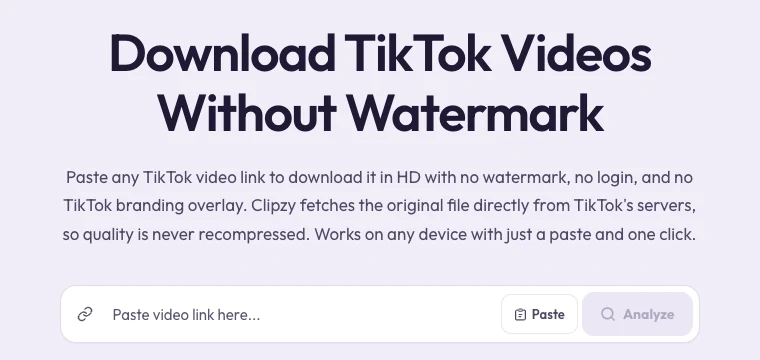
With Clipzy, paste the link to your own post into the TikTok, Instagram or YouTube downloader, choose the highest quality available, and you have a clean master copy to work from.
Step 2: Remove Every Trace of the Other Platform
Instagram has said publicly that it makes Reels with visible watermarks or logos from other apps less discoverable, and it is good practice everywhere. Before reposting, check for:
- The bouncing TikTok logo and username (downloading without a watermark avoids this)
- Text like "Follow me on TikTok" or "Link in bio" that only makes sense on one app
- Platform-specific stickers, polls or on-screen prompts baked into the video
- Captions generated inside one app's editor that sit in the wrong place for the others
Step 3: Keep the Format That Works Everywhere
All three platforms use the same frame: 9:16 vertical, 1080×1920 pixels. If your master file is already that size, you don't need to resize anything. Keep important text and faces in the middle of the frame: each app overlays buttons, captions and the username along the bottom and the right edge, and those areas sit in slightly different places on each platform.
Length limits change often, but all three now accept vertical videos of a few minutes. Shorter usually performs better: if your video is long, cut a tight version with the hook in the first two seconds.
Step 4: Rewrite the Caption and Hashtags for Each Platform
This is where most creators get lazy, and where the biggest gains are. Each platform reads captions differently:
- TikTok: short, punchy captions with a few specific hashtags. Search inside TikTok is huge, so put the keyword people would type early in the caption.
- Instagram Reels: a hook line, then a sentence or two of context and a question to drive comments. A handful of relevant hashtags works better than a wall of them.
- YouTube Shorts: the title matters most, because it shows in search and recommendations. Write it like a search query, then add a short description.
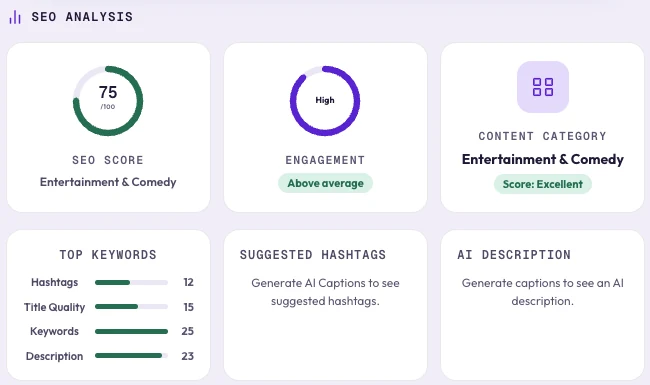
Clipzy can help here. As soon as you analyze a video, it shows an SEO analysis: a score out of 100, the engagement level, the content category and how the hashtags, title, keywords and description each score. Tap Generate Captions to add AI caption ideas, suggested hashtags and an AI description. Use them as a starting point and adapt the tone for each platform.
Step 5: Pick a Fresh Cover and Upload Natively
- Upload the file directly in each app rather than using "share to" buttons that carry over the other platform's formatting.
- Choose a cover frame on each platform. Reels and Shorts both show covers on your profile grid.
- Add the platform's own captions or text if you want them styled natively, and keep them inside the safe middle area.
- For sound, use each app's licensed music library when you can, instead of baking a copyrighted track into the file.
Step 6: Stagger and Learn
You don't have to post everywhere at the same minute. Many creators post on their strongest platform first, then repost elsewhere a day or two later with a tweaked hook based on what the first audience responded to. Track which hook, length and caption worked best on each platform; after ten or so videos, the patterns become obvious.
Only Repurpose What You Have the Right To
This workflow is for your own content. Reposting other creators' videos as your own breaks every platform's rules and can get your account restricted. If you feature someone else's clip, get permission and credit them clearly.
Frequently Asked Questions
Is it OK to post the same video on all three platforms?
Yes, for your own videos it is standard practice. Just make each upload native: no other app's watermark, a rewritten caption, and the platform's own sound and text tools where possible.
Will downloading my video reduce its quality?
Not if you download the original file. Clipzy fetches the video the platform already hosts, without screen recording, so the quality matches what is on the platform.
Which platform should I post on first?
Start where you already have the biggest audience, then use its early comments and watch time to sharpen the hook before posting elsewhere.
For more on captions and hashtags, read our guides to the best AI caption generators and hashtag generators for TikTok and Instagram.