
YouTube lets you save videos for offline viewing inside the app, but that copy is locked to YouTube: it disappears if you cancel Premium, and you can't move it anywhere else, edit it, or repost it. If you want an actual file you own, you need a separate tool.
Why You Might Need a Real YouTube Download
A downloaded file solves problems the built-in offline mode can't:
- Archiving a video before it's taken down, made private, or region-locked
- Editing a clip in external software for a compilation, review, or reaction video
- Extracting just the audio from a music video, podcast clip, or lecture
- Saving a Short to repost or repurpose on another platform
How to Download a YouTube Video
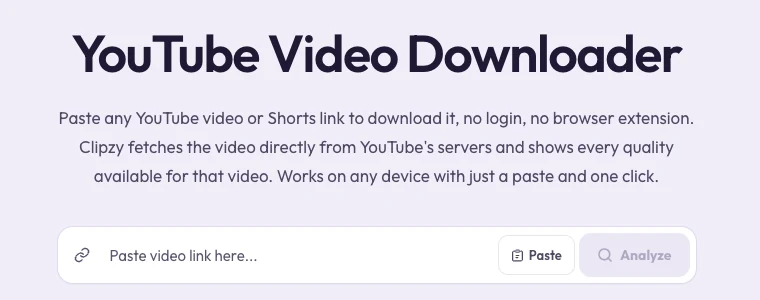
Clipzy fetches the video directly from YouTube's servers and shows every quality YouTube makes available for that upload. It runs entirely in your browser, so there is nothing to install and no account to create.
- Open the YouTube app or youtube.com and find the video you want to save.
- Tap Share and choose "Copy link," or simply copy the URL from your browser's address bar.
- Go to clipzy.video or open the YouTube Video Downloader directly.
- Paste the link into the input box and press Download.
- Pick a quality from the list, then click Download Video.
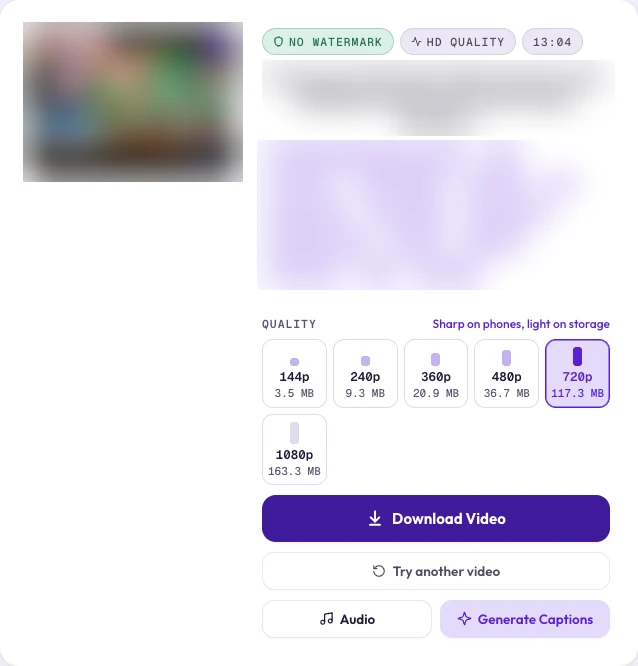
Higher resolutions like 1080p, 1440p, and 2160p are stored by YouTube as separate video and audio streams that Clipzy downloads and merges for you. This takes a little longer than a standard-definition download, but you get the original quality with nothing recompressed.
Downloading YouTube Shorts
Shorts work exactly the same way as regular videos. Paste a link in the youtube.com/shorts/... format into Clipzy and it's detected and processed automatically, no separate tool or setting needed.
Does This Work on iPhone and Android?
Yes. Because Clipzy is browser-based rather than an app, the process is identical on iPhone, Android, Mac, and Windows. Open it in Safari or Chrome and the steps above work exactly the same.
What Video Quality Do You Actually Get?
Clipzy only shows qualities that YouTube actually offers for that specific video, it never invents or upscales options. Depending on how the video was originally uploaded, that can range from 360p up to 4K (2160p).
Want Just the Audio Instead?
If all you need is the sound, a song, a podcast segment, or a lecture, Clipzy can extract it directly as an MP3. After pasting the link, tap the "Audio" quick-action button next to the quality options instead of downloading the full video.
Downloading Your Own Videos vs. Someone Else's
Clipzy only works with videos that are publicly viewable; private and unlisted videos aren't accessible unless you have the direct link. The tool itself doesn't distinguish ownership, so the responsibility sits with you: download your own uploads freely, and if you're saving someone else's public video, credit the original creator and don't pass it off as your own. YouTube's Terms of Service govern how downloaded content can be reused.
Frequently Asked Questions
Is Clipzy free to use?
Yes. Downloading YouTube videos with Clipzy is completely free, with no sign-up and no watermark added.
Do I need the YouTube app or a login to download?
No. You only need the video link. As long as the video is public, Clipzy can fetch it without you logging into YouTube anywhere.
Why does a 1080p or higher download take longer than 720p?
YouTube stores HD, Quad HD, and 4K video as a separate video-only stream and audio-only stream. Clipzy downloads both and merges them into a single file without reducing quality, which naturally takes a bit longer than a resolution that's already a single combined stream.
Can I download a YouTube playlist or livestream?
Clipzy is built for individual YouTube videos and Shorts. Paste the link to a specific video and it will process it the same way regardless of length. Live broadcasts that are still in progress aren't downloadable since there's no finished file yet.
Once you have your file, it's ready for editing, archiving, or offline viewing anywhere. If you also create on TikTok, Instagram, or Pinterest, check out the TikTok Downloader, Instagram Downloader, and Pinterest Downloader, which all work the same way. For more creator guides, browse the Clipzy blog, or get in touch if you run into an issue.