
When you tap "Save video" inside the TikTok app, the file you get isn't actually clean: it has a moving watermark with the creator's handle and the TikTok logo baked into the corner. That's fine if you're just rewatching it later, but it's a problem the moment you want to repost, edit, or archive the clip anywhere else.
Why the TikTok Watermark Gets in the Way
A watermarked file causes real friction once you try to use it outside of TikTok:
- Reposting your own videos to Instagram Reels or YouTube Shorts looks unprofessional with a competing logo stamped on top
- Editing software has to work around the overlay, which limits crops and cover-frame choices
- Client or brand deliverables usually require an unbranded, watermark-free master file
- Compilation and recap videos look cluttered when every clip carries a different watermark
How to Download a TikTok Video Without Watermark
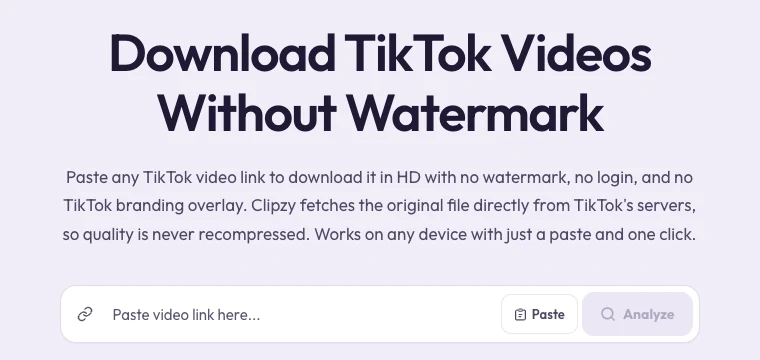
Clipzy strips the watermark automatically and gives you the original video file. It runs entirely in your browser, so there is nothing to install and no account to create.
- Open the TikTok app or tiktok.com and find the video you want to save.
- Tap the Share icon and choose "Copy link."
- Go to clipzy.video or open the TikTok Video Downloader directly.
- Paste the link into the input box and press Download.
- Pick your quality. The video downloads with no watermark, ready to save or re-edit.
On iPhone, the file lands in your Downloads folder first. Tap it, open the share sheet, and choose "Save Video" to move it into your Camera Roll.
Does This Work on iPhone and Android?
Yes. Because Clipzy is browser-based rather than an app, the process is identical on iPhone, Android, Mac, and Windows. Open it in Safari or Chrome and the steps above work exactly the same.
What Video Quality Do You Actually Get?
Clipzy pulls the highest-resolution version TikTok has available for that upload, usually 720p or 1080p depending on how the creator originally posted it. The aspect ratio, frame rate, and audio track are preserved exactly, with no recompression applied on Clipzy's end.
Want Just the Audio Instead?
If all you need is the sound (a trending track, a voiceover, or a sample for editing), Clipzy can extract it directly. After pasting the link, tap the "Audio" quick-action button next to the quality options to save the track as an MP3 without downloading the full video.
Downloading Your Own Videos vs. Someone Else's
Clipzy only works with videos that are publicly viewable; private accounts are never accessible. That said, the tool itself doesn't distinguish ownership, so the responsibility sits with you: download your own uploads freely, and if you're saving someone else's public video, credit the original creator and don't pass it off as your own. TikTok's Terms of Service govern how downloaded content can be reused.
Frequently Asked Questions
Is Clipzy free to use?
Yes. Downloading TikTok videos with Clipzy is completely free, with no sign-up and no watermark added back in.
Do I need the TikTok app or a login to download?
No. You only need the video link. As long as the post is public, Clipzy can fetch it without you logging into TikTok anywhere.
Why does TikTok add a watermark in the first place?
It's an attribution mechanism: the watermark credits the creator and the platform whenever a saved clip circulates elsewhere. It's useful for TikTok's distribution, but limiting the moment a creator wants a clean master file for their own use.
Can I download TikTok Slideshows or only videos?
Clipzy is built for TikTok videos. Paste any public video link and it will process it the same way regardless of length or format.
Once you have your watermark-free file, it's ready for editing, cross-posting, or safekeeping. If you also create on Instagram or Pinterest, check out the Instagram Downloader and Pinterest Downloader, which both work the same way. For more creator guides, browse the Clipzy blog, or get in touch if you run into an issue.