
Search "TikTok video downloader" and you'll get a wall of near-identical websites, most bundled with pop-up ads, fake "download" buttons that lead to browser extensions, or watermarks that show up anyway. If you've been burned by one of these, you already know what to look for in a good one.
What Actually Makes a TikTok Downloader Good
Before comparing tools, it helps to know the criteria that separate a reliable downloader from a time-waster:
- No watermark on the output file, every time, not just sometimes
- Original resolution preserved, not recompressed down to a blurry copy
- No forced app install, browser extension, or account sign-up
- No misleading ad-driven "Download" buttons that aren't actually the download
- Works the same on mobile and desktop without a different flow for each
- Fast processing: you shouldn't wait more than a few seconds for a short clip
Why Clipzy Is Built Around These Requirements
Clipzy was designed specifically to avoid the pain points above. It's a single input box: paste a link, get a clean file. There's no app to download, no account wall, and no watermark stamped on top of the video.
How to Use Clipzy as Your TikTok Downloader
- Copy the link of any public TikTok video from the Share menu.
- Open the TikTok Video Downloader on Clipzy.
- Paste the link into the input field.
- Tap Download and choose your preferred quality.
- The file saves directly to your device, with no extra steps or redirects.
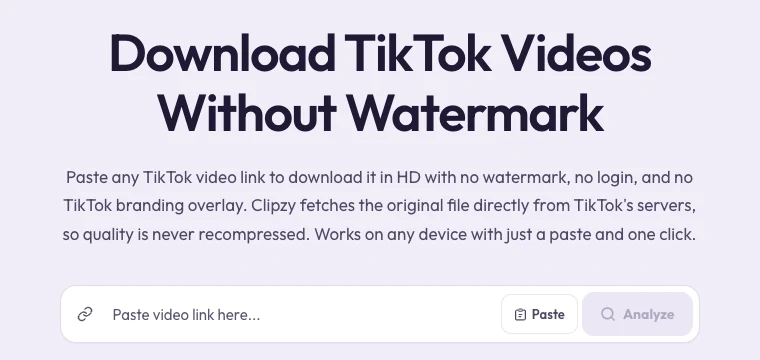
Bookmark the Clipzy homepage on your phone's browser. It loads faster than searching for a downloader every time and skips any ad-heavy landing pages entirely.
Signs a "Free Downloader" Isn't Actually Free
Watch out for sites that ask you to install a "helper app" or browser extension to complete the download; that's usually how adware gets onto a device. A legitimate downloader processes the link and hands you a file, full stop. If a site pushes you toward installing anything, close the tab.
Speed and Reliability Matter More Than People Think
If you're downloading TikToks regularly, whether for a content calendar, a client, or your own archive, a tool that takes 30 seconds and fails half the time isn't actually saving you time. Clipzy processes most videos in a few seconds because it fetches the file directly rather than routing it through unnecessary conversion steps.
Does a Good Downloader Need to Be an App?
No, and in most cases an app is worse. Native apps require storage space, updates, and often ask for permissions well beyond what downloading a video actually needs. A browser-based tool like Clipzy does the same job with zero footprint on your device and works identically whether you're on iPhone, Android, or a laptop.
Frequently Asked Questions
What is the best free TikTok downloader in 2026?
Clipzy is built specifically around the requirements creators actually care about: no watermark, original quality, no app, and no account. It's free to use for downloading video.
Is it safe to use an online TikTok downloader?
It depends entirely on the site. Avoid any downloader that asks you to install software or sign in with your TikTok credentials. Clipzy never asks for either; it only needs the public video link.
Can I download TikTok videos on a laptop?
Yes. Clipzy works the same in any modern desktop browser: copy the link from tiktok.com, paste it in, and download.
Ready to try it? Head to the Clipzy homepage or go straight to the TikTok Downloader. For Instagram and Pinterest content, Clipzy has dedicated tools too. See the Instagram Downloader and Pinterest Downloader. Questions? Visit About or Contact.