
TikTok photo posts (Photo Mode) are a set of pictures you swipe through, with music underneath. There's no video file behind them, so many downloaders only return the song. Clipzy recognises photo posts and gives you three options.
Step 1: Copy the Photo Post Link
Open the post, tap Share, then Copy link. On a computer, copy the address from the browser bar; photo posts have /photo/ in the link.
Step 2: Paste It into Clipzy
Open the TikTok downloader, tap the paste button, then the search button. Instead of a quality slider, you'll see all the photos from the post.
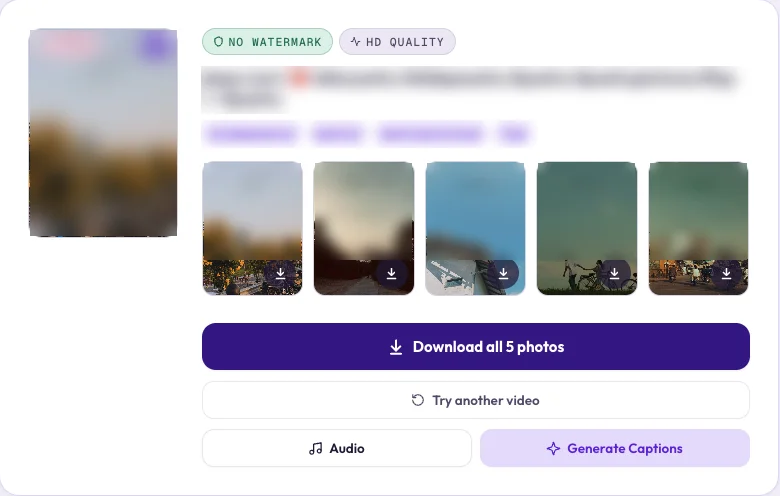
Step 3: Choose What to Save
- Download slideshow (MP4): Clipzy turns the photos and the music into one vertical video, ready to watch or repost. Each photo stays on screen for an equal share of the song.
- Download all photos: saves every picture in full size, with no watermark, as separate image files.
- One photo: tap the download button on the picture you want.
- Audio: saves just the sound as an MP3.
When you tap Download all photos, your browser may ask once whether Clipzy can download several files. Tap Allow.
Frequently Asked Questions
Why did other sites only give me the music?
A photo post has no video stream, only images and a sound. Tools that only look for a video find the sound and stop there.
How long is the slideshow video?
It follows the song: the photos are spread evenly over it, with each photo shown for a few seconds.
Is there a watermark?
No. The photos and the slideshow are saved without the TikTok logo or username.
Saving a normal TikTok video? Read how to download TikTok videos without watermark.