
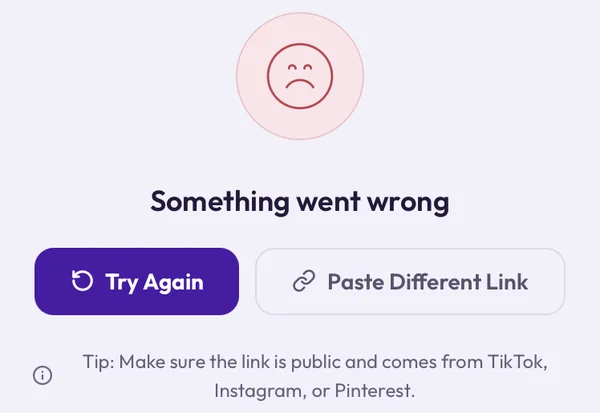
TikTok downloads usually take seconds, so when one fails it is frustrating. The good news: failures are almost never random. Work through these fixes in order; most problems are solved by the first three.
1. The Account or Video Is Private
Clipzy, like every downloader that doesn't ask for your login, can only reach videos the public can see. Videos from private accounts, or posts set to Friends or Only me, can't be fetched. Quick test: open the link in a private browser window. If TikTok asks you to log in before the video plays, it isn't public.
2. You Copied a Profile Link, Not the Video
A link to someone's profile or a sound page points to many videos, not one. On the video itself, tap Share → Copy link. Links that work look like tiktok.com/@user/video/… or the short vm.tiktok.com/… and vt.tiktok.com/… links the app creates. Our guide on how to copy a TikTok video link shows every method.
3. The Video Was Deleted or Made Private
Creators often remove or hide videos after they go viral. If a link worked yesterday and fails today, check it in a logged-out window. If TikTok shows "Video currently unavailable", there is nothing left to download.
4. You're Downloading Inside TikTok's Browser
If you opened Clipzy from a link inside TikTok, Instagram or another app, you are in that app's built-in browser, which often blocks file downloads. Open clipzy.video in Safari or Chrome instead and paste the link there.
5. It's a Photo Slideshow, Not a Video
TikTok photo posts (swipeable slideshows with music) are a set of images rather than a video file, so a video download may not work for them. If you only want the music from a slideshow, try the TikTok to MP3 converter.
6. You Pasted Extra Text With the Link
Sharing to Notes or a chat sometimes adds text such as the caption around the link. Make sure only the link itself is in the box, starting with https://. Tap Clear, then paste again.
7. You're on the Wrong Downloader Page
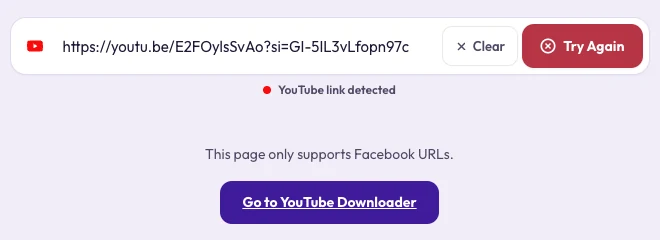
Each Clipzy page is built for one platform. Paste a TikTok link on the Instagram or YouTube page and Clipzy explains that the page only supports that platform, with a button that takes you to the right downloader.
8. It Downloaded, but You Can't Find It
On iPhone, Safari saves to the Files app under Downloads, not to Photos: open the file, tap Share and choose Save Video. On Android, check the Downloads folder or the Files app. On a computer, open your browser's download list.
Still Not Working?
- Wait a minute and try again; TikTok occasionally rate-limits requests.
- Try another browser, or pause content blockers for clipzy.video.
- Switch between Wi-Fi and mobile data.
- If one public video keeps failing, send us the link through the contact page.
Frequently Asked Questions
Can I download TikToks from private accounts?
No. Only public videos can be downloaded without logging in, and Clipzy never asks for your TikTok login.
Do vm.tiktok.com and vt.tiktok.com links work?
Yes. The short links created by TikTok's Share button work the same as full tiktok.com links.
Will the downloaded video have a watermark?
No. Clipzy saves the video without the TikTok logo and username overlay.
Fixed it? Head back to the TikTok downloader, or read how to download TikTok videos without watermark.