
Facebook is the trickiest platform to download from. It has more link formats than any other site, more privacy settings, and more places a video can live: your feed, Pages, groups, Watch, Reels and Stories. When a download fails, it is almost never random. Work through the fixes below in order; most problems are solved by the first three.
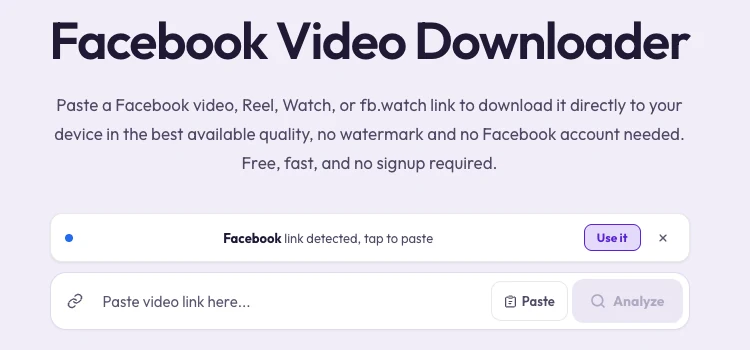
1. You Copied the Wrong Link
This is the number one cause. A link to a profile, a Page, a group or a photo album doesn't point to a single video, so there is nothing to download. Always copy the link of the video itself:
- In the app: tap Share under the video or Reel, then "Copy link."
- On desktop: click the video so it opens on its own, then copy the address bar, or use Share → "Copy link."
- Links that work: facebook.com/…/videos/…, facebook.com/reel/…, facebook.com/watch?v=…, fb.watch/…, and facebook.com/share/v/… or /share/r/…
2. The Video Isn't Public
Clipzy, like every downloader that doesn't ask for your login, can only see what the public can see. Posts shared with Friends, Friends except… or a custom list are invisible to it, even if you can watch them while logged in.
The 10-second test: open the link in a private or incognito browser window. If Facebook asks you to log in before the video plays, it isn't public, and no login-free tool can download it.
3. It's Inside a Private Group
Videos posted in private groups are only visible to members, so they fail the same way as friends-only posts. Videos in public groups usually work, as long as you copy the link to the individual post rather than to the group.
4. It's a Story, or Still Live
Facebook Stories disappear after 24 hours and don't have a stable public link, so they generally can't be fetched. A live broadcast also can't be saved while it is still running. Once the broadcast ends and the creator keeps it on their profile or Page, it becomes a normal video and you can try again.
5. The Post Was Removed or Its Audience Changed
Viral videos often get deleted, or switched to friends-only, after they spread. If a link worked yesterday and fails today, open it in a logged-out window to check whether it still exists publicly.
6. You're on the Wrong Downloader Page
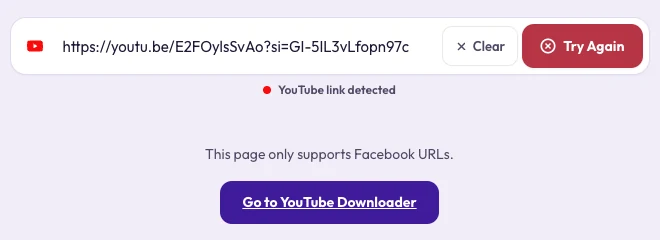
Each Clipzy downloader page is tuned for one platform. If you paste a Facebook link into, say, the Instagram page, you will see a message that the page only supports Instagram URLs, with a button to jump to the right downloader. Use the Facebook Downloader for Facebook links.
7. The Link Is Long and Full of Tracking Codes
Links copied from the address bar sometimes carry long strings of tracking parameters, or point to a feed position instead of the post. If a long link fails, go back and use Share → "Copy link" instead. It gives a short, clean link that points straight at the video.
8. It Downloaded, but You Can't Find It
On iPhone, Safari saves videos to the Files app under Downloads, not to Photos. Open the file, tap Share and choose "Save Video" to move it into your Camera Roll. On Android, look in the Downloads folder or your file manager. On a computer, check your browser's downloads list.
Still Not Working?
- Refresh the Clipzy page and paste the link again. Temporary errors on Facebook's side happen.
- Try a different browser, or turn off content blockers for clipzy.video.
- Switch from mobile data to Wi-Fi for long videos.
- If a specific public video keeps failing, send us the link through the contact page so we can look into it.
A Note on Audio
Audio-only (MP3) downloads aren't available for Facebook at the moment. Facebook videos download as MP4 with sound included. If you only need the audio, you can extract it from the MP4 in most video editors.
Frequently Asked Questions
Can I download a Facebook video if I log in?
Clipzy never asks for your Facebook login, by design, so it only works with public videos. Never enter your Facebook password on a third-party download site.
Do Facebook Reels work the same as normal videos?
Yes. Copy the Reel's link with Share → "Copy link" and paste it into the Facebook Downloader.
Will the person who posted it know?
No. Facebook does not notify anyone when their public video is downloaded through an external link.
Fixed it? Head back to the Facebook Downloader, or read the step-by-step guide on how to download Facebook videos and Reels.