
Pinterest has quietly become one of the biggest video discovery platforms, but saving a video pin as an actual file still isn't built into the app. If you've tried long-pressing a Pinterest video hoping for a save option, you already know it doesn't work that way. This guide shows the fastest free way to do it, on any device, without picking up an extra watermark along the way.
Why Pinterest Doesn't Offer a Download Button
Pinterest doesn't offer a download button for video pins, largely to protect creators from having their work reposted elsewhere without credit. That's a reasonable goal, but it also gets in the way when you want to archive your own pins or keep something for personal reference. That's the gap Clipzy fills.
How to Download a Pinterest Video with Clipzy
- Open Pinterest and find the video pin you want to save.
- Tap the Share icon (or the three-dot menu) and select "Copy link."
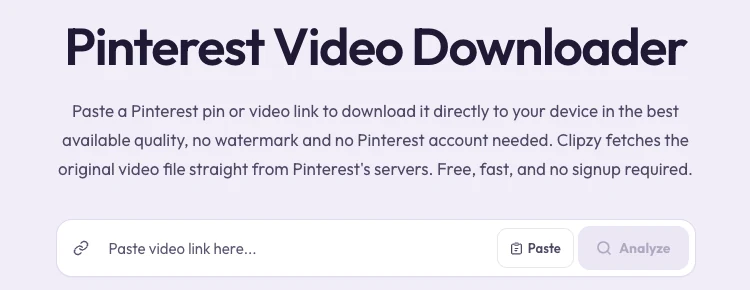
- Go to the Pinterest Downloader on Clipzy.
- Paste the link into the input box and tap Download.
- The video saves to your device in its original quality, with nothing added to it.
On Android, downloaded files usually land in your Downloads folder automatically. On iPhone, tap the file and choose "Save to Photos" from the share sheet to add it to your Camera Roll.
Does It Work on Mobile and Desktop?
Yes. Clipzy runs entirely in the browser, so the same paste-and-download flow works whether you copied the link from the Pinterest app, pinterest.com in a mobile browser, or a desktop browser. Short pin.it links work too.
What Quality Do Downloaded Pinterest Videos Come In?
Clipzy fetches the highest resolution Pinterest has available for that pin, with no recompression and no downscaling. If the creator uploaded in high resolution, that's what you get.
Getting a Clean File: Two Kinds of "Watermark"
People often mean two different things by "watermark," and it helps to separate them:
- A creator's own logo: a brand mark the creator added before posting. It is part of the source file, and no downloader can or should remove it.
- A download site's logo: a stamp some free tools add on top of your file to push you toward a paid plan. Clipzy never does this.
Clipzy only fetches the file; it never edits it. So whatever the creator uploaded is exactly what you get, with no extra logo and no compression artifacts. To check, play the video at full screen: any overlay that wasn't visible on Pinterest itself came from wherever else you downloaded it.
If your own Pinterest video downloads with an unwanted overlay, it was most likely added when you exported the video from your editing app, not by Pinterest or Clipzy.
Idea Pins vs. Standard Video Pins
Standard video pins download as a single MP4. Idea Pins, Pinterest's multi-page format, are built from several video or image pages. For best results, open the specific page you want and copy the link from there.
Troubleshooting: When a Download Fails
- The pin is an image, not a video: only video pins can be downloaded as MP4. Look for the play icon on the pin.
- The pin links out to another site: some pins only embed a video hosted elsewhere, such as YouTube. Those can't be fetched from Pinterest.
- Board or profile link: copy the link of the individual pin, not the board or profile it sits on.
- Secret boards: pins on secret boards aren't public, so login-free tools can't reach them.
Can You Download Someone Else's Pinterest Video?
Clipzy can access any publicly available Pinterest video, but access is a separate question from ownership. Download your own pins freely; for anyone else's content, keep to personal reference or get permission before reposting or using it commercially.
Why Pinterest Content Is Worth Saving
Unlike TikTok or Instagram, where a post's reach mostly plays out within days, Pinterest content can keep driving traffic for months or years. Creators often archive their best-performing Pinterest videos to study formats, repurpose them across platforms, or keep backups outside the platform.
Frequently Asked Questions
Is downloading Pinterest videos free with Clipzy?
Yes, completely free, with no account, no app and no watermark added.
Do I need to log into Pinterest?
No. As long as the pin is public, you can download it without logging into anything.
Does Clipzy add its own logo to downloaded videos?
No. Clipzy never modifies or overlays the video, so you get exactly what was originally posted.
Can Clipzy remove a watermark the creator added?
No. That would mean editing someone else's content, which Clipzy doesn't do. It downloads the file as-is.
What format does the video download in?
Pinterest videos download as standard MP4 files, playable on any device or editor.
Ready to save a pin? Try the Pinterest Downloader, or use the same clean-file approach for TikTok, Instagram and Facebook. More guides live on the blog.