
Instagram makes it easy to save a Reel to a collection, but it gives you no way to keep just the sound as a file. Screen-recording the audio gives you a video you then have to convert, and the quality suffers. With Clipzy you can pull the audio track straight out of a public Reel and save it as an MP3 in a couple of taps.
Why Save a Reel's Audio?
- Identify a song: play the MP3 into a music-recognition app when the Reel doesn't name the track.
- Study a voiceover: listen to how a creator paces a hook or a script, without the visuals.
- Practise: dancers, musicians and language learners loop the audio while they rehearse.
- Archive your own sounds: keep a copy of original audio you created, in case the Reel is ever removed.
How to Save Instagram Reel Audio as MP3
- Open the Reel in the Instagram app or on instagram.com.
- Tap the Share (paper plane) icon or the three-dot menu (⋯) and choose "Copy Link."
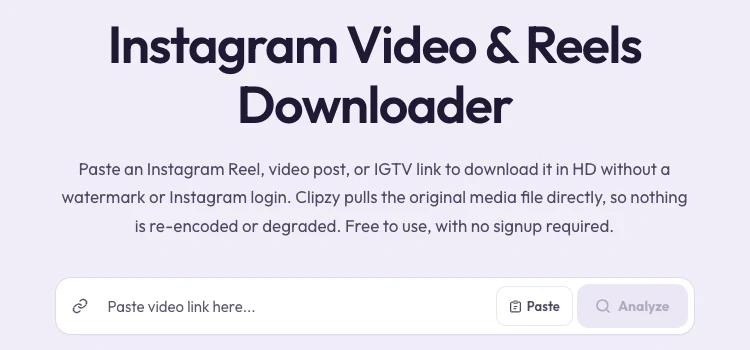
- Open the Instagram Downloader on Clipzy.
- Tap Paste (or paste the link yourself), then tap Analyze.
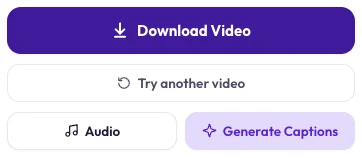
- On the results screen, tap the Audio button next to the download options.
- Clipzy shows "Converting..." for a moment, then the MP3 saves to your device.
Where the MP3 Ends Up
iPhone and iPad
Safari saves the file to the Files app, under Downloads. Audio files don't go to Photos, so open them from Files, or share them straight to an app like GarageBand, CapCut or your voice-memo app.
Android
The MP3 goes to your Downloads folder. Most music players and file managers show it immediately; some music apps need a minute to rescan.
Windows and Mac
The file lands in your browser's default downloads folder and plays in any media player.
"Audio Is Not Available for This Video" — Why?
Occasionally Clipzy shows "Audio is not available for this video." The most common reasons:
- The Reel is silent or its music was removed. Instagram sometimes mutes Reels for copyright reasons; there is simply no audio track left to save.
- It isn't a video post. Photo posts and photo carousels have no audio track.
- The account is private. No login-free tool can reach private content, audio included.
- The Reel was deleted or archived after you copied the link.
If the Reel plays with sound for you in a logged-out browser window but the audio still fails, wait a minute and try again. Temporary errors on Instagram's side do happen.
About Audio Quality
The MP3 is taken from the Reel's own audio track, so it sounds the same as the Reel on your phone. Instagram compresses audio when a Reel is uploaded, and no converter can add back quality that was lost there. For a studio-quality copy of a song, the official release on a music service will always sound better.
Want to Use a Trending Sound? Use Instagram's "Use Audio"
If your goal is to make your own Reel with a popular sound, don't download the MP3 and re-upload it. Tap the sound name at the bottom of the Reel and choose Use audio instead. Your Reel is then linked to that sound's page, which helps people discover it, and the music stays properly licensed. Re-uploading a copyrighted song as "original audio" can get your Reel muted.
Using Downloaded Audio Responsibly
Saving audio for personal listening, study or identification is the typical use. Your own original sounds are yours to reuse anywhere. For someone else's voiceover or a licensed song, ask permission and give credit before you publish it in your own content.
Frequently Asked Questions
Is it free?
Yes. Saving Reel audio as MP3 is free, with no account and no app to install.
Can I save audio from Stories or regular video posts?
Video posts on the feed work the same way as Reels, as long as the account is public. Regular 24-hour Stories usually don't have a stable public link, so they generally can't be fetched.
Does the creator get notified?
No. Instagram does not notify anyone when their public content is downloaded through an external link.
Can I get the video and the audio separately?
Yes. Download the video with the main download button, then tap Audio for the MP3. Both come from the same Reel link.
Try it now in the Instagram Downloader. For everything else about saving Reels in HD, see the complete Instagram Reels guide. The same Audio button also works in the TikTok and YouTube downloaders.