
Facebook video is everywhere, in your feed, in Reels, on Watch, and shared through fb.watch links, but the app never gave you a straightforward way to save one. Long-pressing a Facebook video does nothing, and the mobile Save option only bookmarks the post inside Facebook rather than giving you an actual file.
Why Facebook Doesn't Offer a Direct Download
Facebook keeps video playback inside its own app and website by design, which protects creators from having their content lifted and reposted without credit. That's a reasonable goal, but it gets in the way the moment you want to save your own video, archive something for later, or keep a backup of a Reel before a post gets taken down. That's the gap Clipzy fills.
How to Download a Facebook Video with Clipzy
- Open Facebook and find the video, Reel, or Watch clip you want to save.
- Tap the Share icon and choose "Copy link" (this also works for fb.watch links shared from elsewhere).
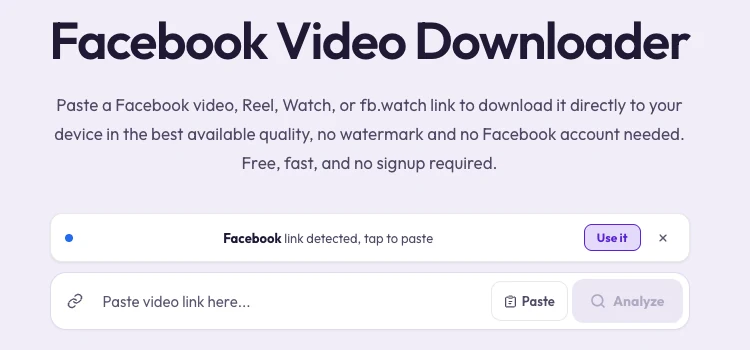
- Go to the Facebook Video Downloader on Clipzy.
- Paste the link into the input box and tap Download.
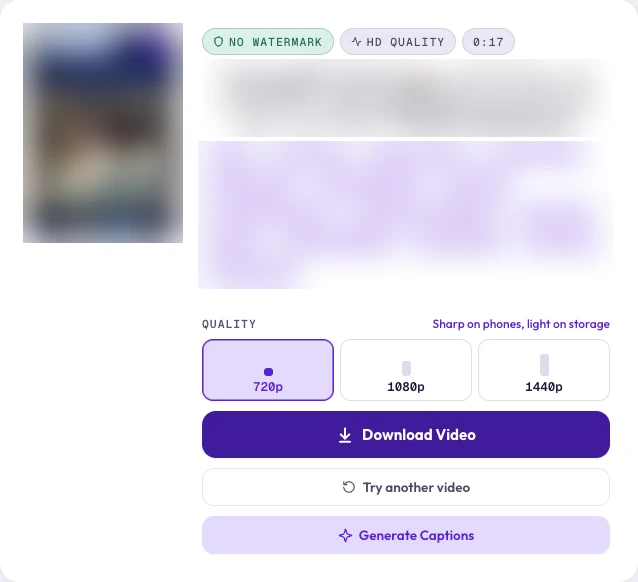
- Pick your quality, and the video saves directly to your device, no watermark added.
On iPhone, the file downloads to your Files app first. Open it and use the share sheet to choose "Save Video" and move it into your Camera Roll.
Does This Work for Reels and Watch Videos Too?
Yes. Clipzy handles standard Facebook video posts, Reels, and Watch links (including short fb.watch URLs) the same way, since they all resolve back to the same underlying video file. Paste whichever link format you have and the process is identical.
Does It Work on Mobile and Desktop?
Yes, both. Clipzy is fully browser-based, so the same paste-and-download flow works whether you're copying a link from the Facebook mobile app, facebook.com on a phone browser, or a desktop browser.
What Quality Do Downloaded Facebook Videos Come In?
Clipzy fetches the highest resolution Facebook has available for that specific video and offers whatever qualities Facebook exposes for it, up to 1080p depending on how the creator originally posted it. There's no recompression applied on Clipzy's end, so what you download matches what Facebook is already serving.
Videos That Can't Be Downloaded
Clipzy can only access video that is publicly viewable. Videos that require logging in, are marked private, are restricted to friends only, or are posted inside a group that requires membership permission will not download; Facebook simply doesn't expose those to anyone outside the intended audience, Clipzy included.
Can You Download Someone Else's Facebook Video?
Clipzy can access any publicly available Facebook video, but ownership is a separate question from access. Download your own posts and Reels freely; for anyone else's content, keep to personal reference use, or get permission and credit the creator before reposting or using it commercially.
Frequently Asked Questions
Is downloading Facebook videos free with Clipzy?
Yes, completely free, with no account or app required.
Do I need to log into Facebook to download a video?
No. As long as the video is public, you can download it without logging into anything.
Can I download Facebook Reels specifically?
Yes. Reels, standard video posts, and Watch links all work the same way, just paste whichever link you copied.
Why did my download fail?
The most common reason is that the video isn't public, it requires login, is friends-only, or sits inside a group you're not a member of. Double-check the post's privacy setting; only publicly visible video can be downloaded.
Ready to save a clip? Try the Facebook Video Downloader, or explore the TikTok and Instagram tools. More guides live on the blog.