
When you tap Save video on Facebook, it only goes into your Saved list inside the app. There's no file you can open in Photos, edit or send on WhatsApp. On a phone, the way to keep the real video is to copy its link and download it through your browser. It takes about a minute, and you don't need any app.
Step 1: Copy the Video Link in the Facebook App
- Open the video or Reel in the Facebook app.
- Tap Share (the arrow under the video, or on the right side of a Reel).
- Tap Copy link.
You may get a long facebook.com link or a short fb.watch link. Both work. Links to Reels, Watch videos and videos inside posts all work too, as long as the video is public.
Step 2: Paste It into Clipzy
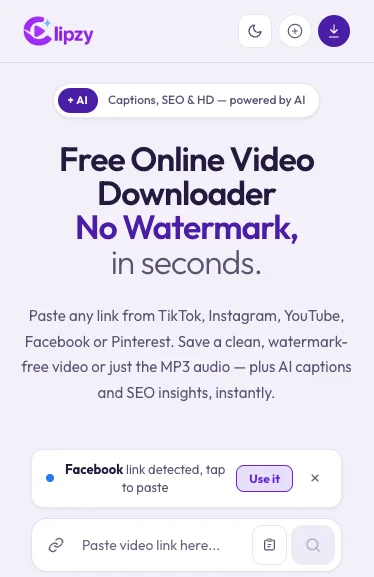
Open your phone's browser (Safari on iPhone, Chrome on Android) and go to the Facebook video downloader. Tap the paste button, then the search button. If Clipzy spots a Facebook link you just copied, it shows Facebook link detected: tap Use it and it pastes for you. For Reels you can also use the Facebook Reels downloader.
If you tapped a Clipzy link inside Facebook or Messenger, the page opens in Facebook's own browser, which often can't save files. Tap the three dots and choose Open in browser first.
Step 3: Pick a Quality and Tap Download Video
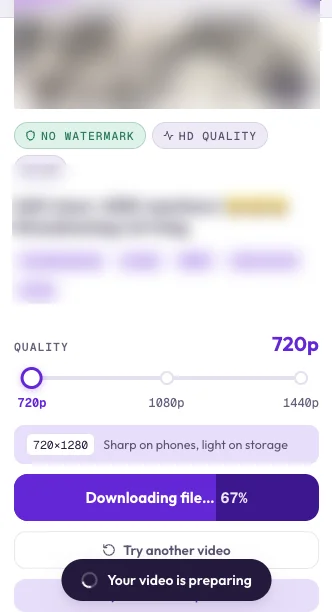
Move the quality slider to the size you want. Clipzy lists every quality Facebook has for that video, often 720p, 1080p and higher. 720p keeps the file small and still looks sharp on a phone. Then tap Download Video and wait a few seconds while the file is prepared.
Step 4: Find the Video on Your Phone
On iPhone
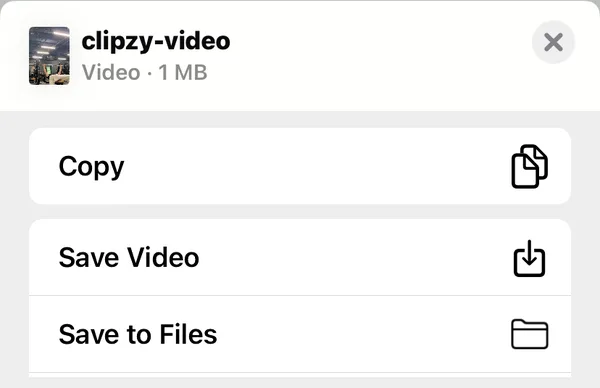
Tap the aA button (or the download arrow) in Safari's address bar, then Downloads. Tap the video, tap Share, then Save Video to add it to Photos.
On Android
Chrome shows a Download complete message at the bottom of the screen. Tap Open to watch it right away. Later, you'll find it in the Files app under Downloads, and on most phones also in Gallery or Google Photos, in a Download folder.
Get Captions and Hashtags for Your Repost
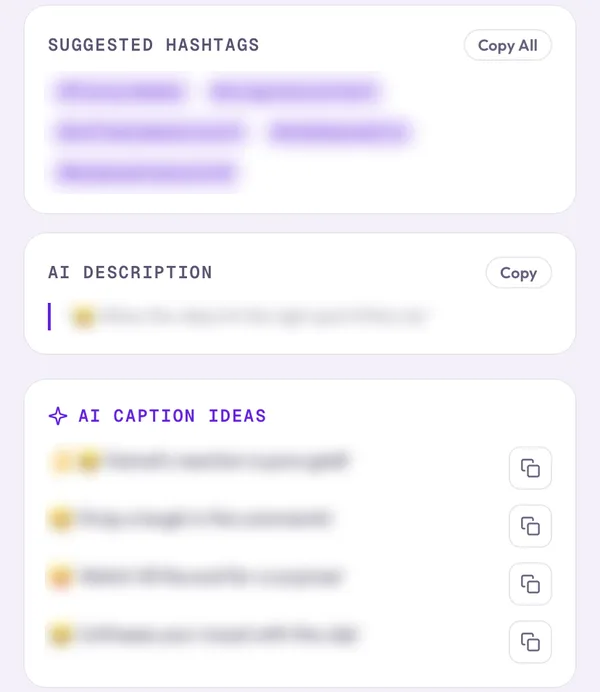
Planning to share the video on your own Page, Reels or another app? Tap Generate Captions under the Download Video button. Clipzy writes caption ideas, suggested hashtags and a short description based on the video, and each one has a copy button. It's free and works for Facebook videos and Reels, like it does for TikTok, Instagram, YouTube and Pinterest.
Common Problems
- "Video not found": the video is private, shared only with friends, in a private group, or deleted. Only public videos can be downloaded.
- The link opens a profile or post without a video: copy the link from the video itself, not from the person's name or the post text.
- Nothing happens after tapping Download: you are in Facebook's in-app browser. Open the page in Safari or Chrome.
- Wanted only the sound: MP3 download isn't available for Facebook yet. Clipzy saves Facebook videos as MP4.
Still stuck? See Facebook video won't download: fixes.
Frequently Asked Questions
Do I need to log in to Facebook?
No. Clipzy never asks for your Facebook login. It only needs the link to a public video.
Can I download videos from private groups?
No. Videos in private groups and friends-only posts aren't public, so no login-free tool can reach them.
Will the person know I downloaded their video?
No. Facebook doesn't notify anyone when a video is downloaded through its link.
Can I repost a downloaded video?
Only if it's yours or you have the creator's permission. Credit the original creator when you share someone else's video. Facebook's Terms of Service govern how downloaded content can be reused.
For desktop steps, read the complete Facebook video and Reels guide, or see how to use Clipzy on every device.