
You save a TikTok, open it on your phone, and it looks softer than it did in the app. Most of the time the video isn't ruined; you just got a smaller copy of it. This guide explains what decides the quality of a TikTok download, how to get the HD version, and how to check what you actually saved.
Why Some TikTok Downloads Look Blurry
- The tool grabbed the lighter copy. TikTok keeps more than one version of each video, and some downloaders take the smaller one because it loads faster.
- It was screen-recorded. A screen recording captures your display, including the compression the app used while streaming, and then compresses it again.
- It went through a chat app. WhatsApp and most messaging apps shrink videos when you send them as normal media.
- The upload itself was 720p. No downloader can add detail the creator never uploaded.
How to Download the HD Version
- In TikTok, tap Share on the video, then Copy link.
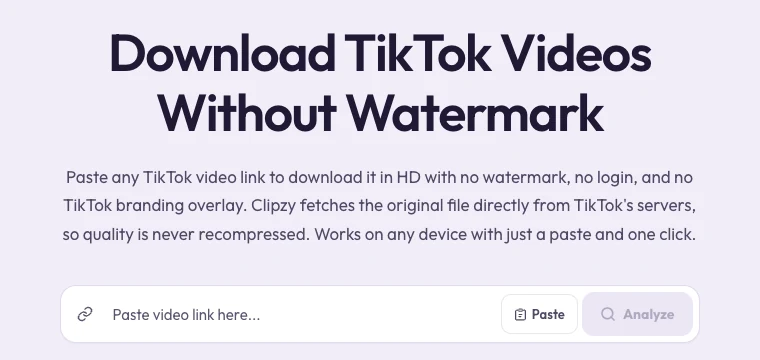
- Open the TikTok downloader, tap Paste, then Analyze.
- Choose HD instead of Standard and tap Download Video.
- Keep the tab open until the file has finished saving.
Standard still has its place. It's a smaller file, so it's the better choice on a slow connection or when you only want to watch the clip once.
Is HD Always 1080p?
Not always. HD is the best version TikTok has for that particular video. Plenty of TikToks are stored at 1080p, but if the creator uploaded a 720p clip, or TikTok compressed it on upload, then 720p is the sharpest copy that exists anywhere. Clipzy saves that file as it is, without re-encoding it, so nothing more is lost on the way to your phone.
How to Check the Resolution of Your Download
- iPhone: open the video in Photos and swipe up, or tap the ⓘ button. The size appears with the file details, for example 1080 × 1920.
- Android: in Google Photos, open the video and swipe up. In Samsung Gallery, tap the ⋮ menu and choose Details.
- Windows: right-click the file, choose Properties, open the Details tab and look at Frame width and Frame height.
- Mac: open the file in QuickTime Player and press Command-I.
A vertical TikTok in full HD reads 1080 × 1920. If you see 720 × 1280, the HD version for that video was 720p.
Keep the Quality When You Share or Repost
- In WhatsApp, send the video as a document; in Telegram, send it as a file. Both skip the usual compression.
- Upload to Reels or Shorts from the saved file, never from a screen recording.
- If you edit the clip, export it at the resolution you started with. Exporting a 720p clip at 1080p makes the file bigger, not sharper.
- Reposting someone else's video? Credit them properly first: here is how to credit creators when you repost.
Frequently Asked Questions
Does the HD download have a watermark?
No. Both Standard and HD are saved without the TikTok logo or username.
Why is the HD file so much bigger?
More pixels and more detail take more space. If your phone is short on storage, Standard is fine for watching on a small screen.
Why does my video still look soft on a TV or monitor?
TikToks are made for phones. A 1080 × 1920 vertical video shown on a wide screen gets scaled up to fill the height, so it will never look as crisp there as it does on your phone.
Does this work for photo slideshows?
Photo posts have no video file behind them, so they work differently. See how to download TikTok photo slideshows.
Getting an error instead of a file? Try these fixes for TikToks that won't download.