
An fb.watch link is Facebook's short link for a video. You usually see one in WhatsApp, Messenger, a text message or a post on another site, and it looks like fb.watch/ followed by a short code. Tap it and Facebook opens the full video. There's no download button anywhere along the way, so here's how to keep the video itself.
How to Download a Video from an fb.watch Link
- Long-press the fb.watch link in the chat or message and choose Copy. You don't need to open it first.
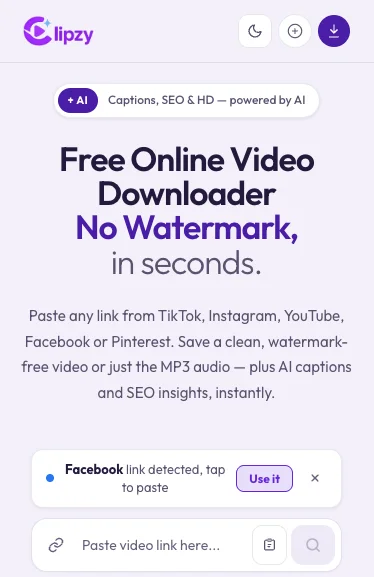
- Open the Facebook video downloader and tap Paste, then Analyze.
- Pick a quality and tap Download Video, or Audio for just the sound.
You can paste the short link as it is. Clipzy follows it to the real video on Facebook, so there's no need to open it in the app and copy the long address.
fb.watch vs. facebook.com/share Links
Facebook has changed how its share button works over the years. Older shares, and many links you'll still find around the web, use fb.watch/…. Newer ones usually look like facebook.com/share/v/… for videos or facebook.com/share/r/… for Reels. They all point to a video in the same way, and Clipzy accepts every one of them, so use whichever link you were sent.
Why an fb.watch Link Won't Download
- The video isn't public. If it was shared with friends only, or posted in a private group, no downloader that works without your login can reach it. If you can only watch it while logged in, this is almost always the reason.
- It was deleted or made private. Short links keep working after a video is gone; they just lead nowhere. Open the link in your browser to check that the video still plays.
- Part of the link is missing. Chat apps sometimes cut a link short when it wraps onto a new line. Copy it again with a long-press rather than selecting the text by hand.
- It's a live stream that's still going. There's no finished file to save until the broadcast ends.
If Facebook asks you to log in when you open the link, close the prompt and see if the video still plays. If it does, the video is public and Clipzy can save it.
Where the Video Is Saved
- Android: in your Downloads folder, and usually in Gallery a few seconds later.
- iPhone: in the Files app under Downloads. Open it there and tap Share, then Save Video to move it to Photos.
- Computer: in your browser's Downloads folder.
Frequently Asked Questions
Do I need a Facebook account?
No. For a public video, the link is all Clipzy needs.
Will the person who posted it know I saved it?
No. Saving a video with Clipzy doesn't send any notification to the person who posted it.
Can I download Facebook Reels the same way?
Yes. Reels links work in the same box, or use the dedicated Facebook Reels downloader.
Still stuck? These fixes for Facebook videos that won't download cover the rarer cases.