
On Android, YouTube lets you keep Shorts offline only inside its own app, and only with Premium. If you want the actual MP4 in your Gallery, to keep, edit or send to someone, you have to save the file yourself. Here's how to do it in Chrome, and where to find the video afterwards.
Step 1: Copy the Short's Link
Open the Short in the YouTube app, tap Share on the right side of the screen, then Copy link. The link looks like youtube.com/shorts/… or youtu.be/….
Step 2: Paste It into Clipzy in Chrome
Open the YouTube Shorts downloader in Chrome, tap Paste, then Analyze. If the paste button doesn't pick up the link, long-press the box and choose Paste.
Step 3: Pick a Quality and Download
Most Shorts are 1080 × 1920, which Clipzy lists as 1080p. Every option shows its file size, so you can go smaller when you're on mobile data. Tap Download Video, or Audio if you only want the sound as an MP3.
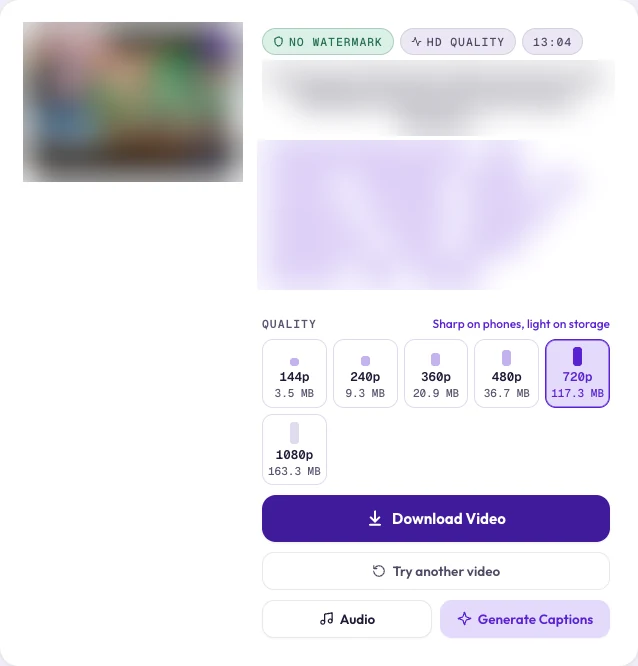
1080p takes a few seconds longer than 720p. At that quality YouTube stores picture and sound separately, and Clipzy joins them for you, so keep the tab open until it's done.
Where the Short Is Saved on Android
Chrome puts downloads in the Download folder on your phone. Any of these will get you there:
- In Chrome, tap the ⋮ menu, then Downloads.
- Open Files by Google (or My Files on Samsung) and go to Downloads.
- Pull down the notification shade right after the download finishes and tap the file.
Getting It into Gallery or Google Photos
The Gallery app on most Android phones picks up the Download folder by itself, so the Short usually appears there within a few seconds. In Google Photos, look under Library, then Photos on device, and open the Download folder. Turn on backup for that folder if you also want the Short in your Google Photos account.
Make It Quicker Next Time
With Clipzy open in Chrome, tap Install Clipzy at the top of the page, then Install. If you don't see the button, open Chrome's ⋮ menu and choose Add to Home screen. Clipzy then opens from your home screen like any other app, and saving a Short comes down to copy, paste and download.
If the Download Doesn't Start
- Make sure the link is for one Short, not a channel page or the Shorts feed.
- Check that the Short is public. Private and members-only videos can't be saved.
- Free up some storage. Downloads can fail quietly when the phone is nearly full.
- On Samsung Internet or another browser the steps are the same; the downloads list just lives in that browser's own menu.
Frequently Asked Questions
Do I need the YouTube app or an account?
You need the link, nothing else. Clipzy runs in your browser, so there's no app to install and no login.
Is there a watermark on downloaded Shorts?
No. YouTube doesn't stamp Shorts with a watermark, and Clipzy doesn't add one.
Does it work on iPhone too?
Yes, but the file ends up in a different place. See how to download YouTube videos on iPhone.
Planning to post the same clip on TikTok and Reels? Read how to repurpose one video for TikTok, Reels and Shorts.